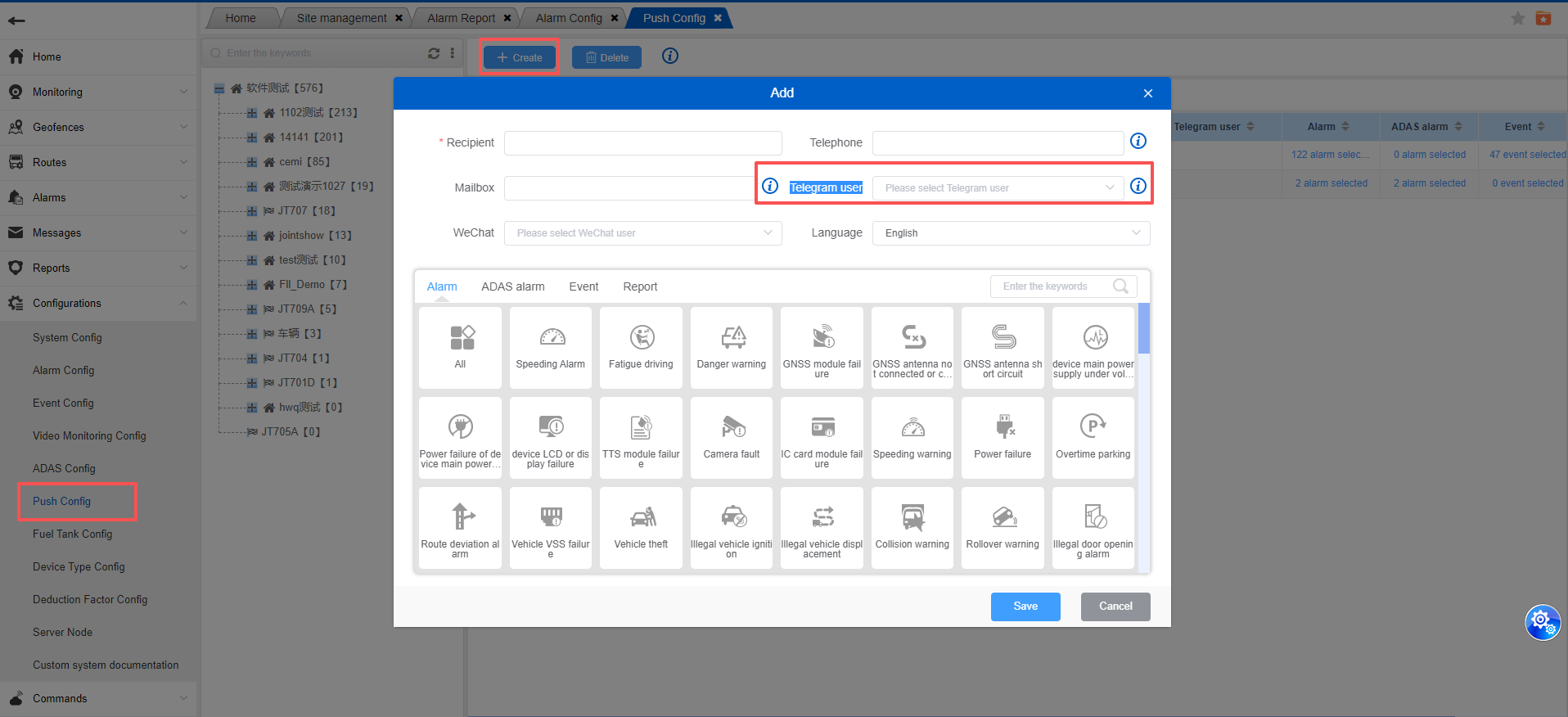
The push configuration is used to push regular alarms, active security alarms, and events to mobile phones, mailboxes, and WeChat.
It can be configured for companies, groups, and certain assets.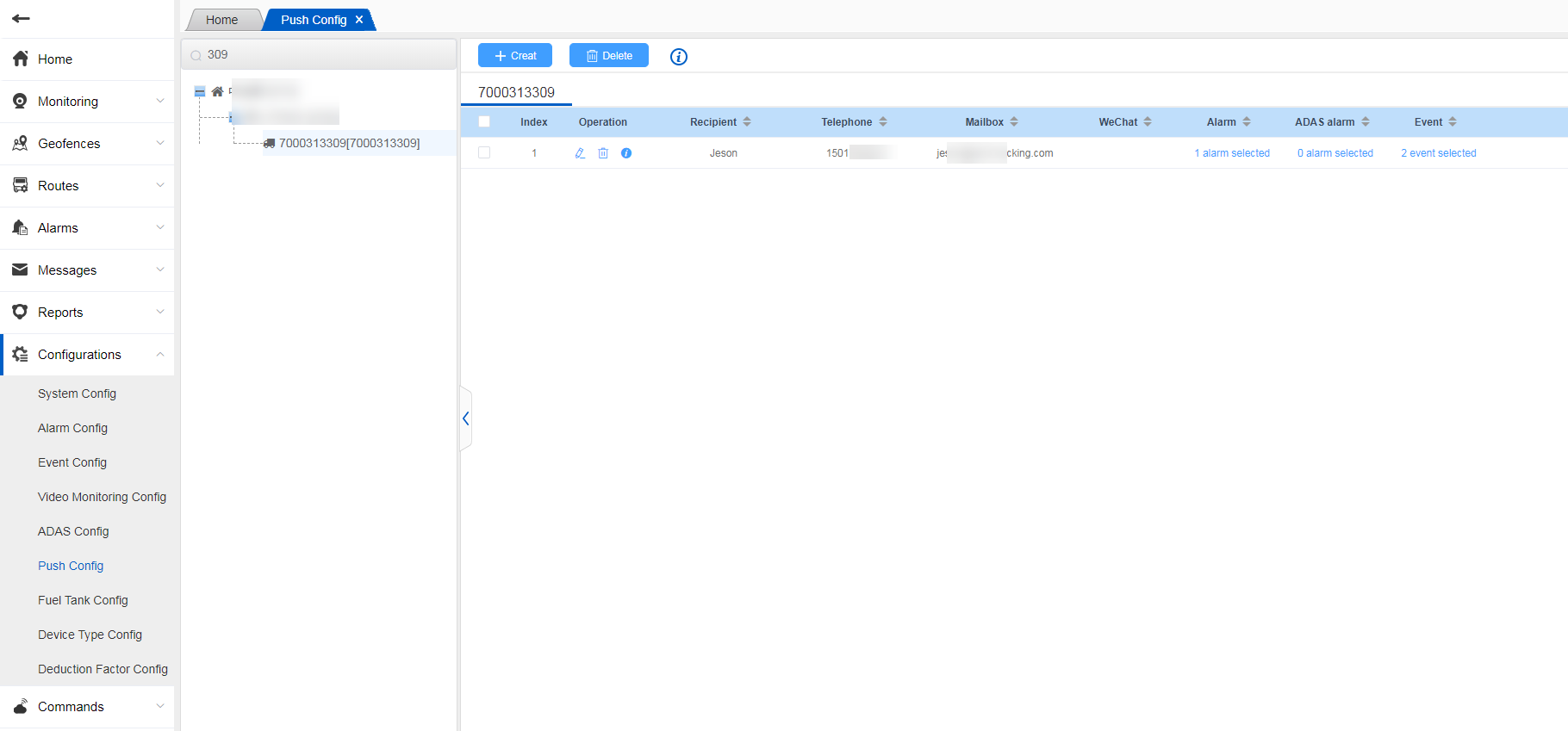
- Select a company or group or a asset, and click the New button to enter the new page;
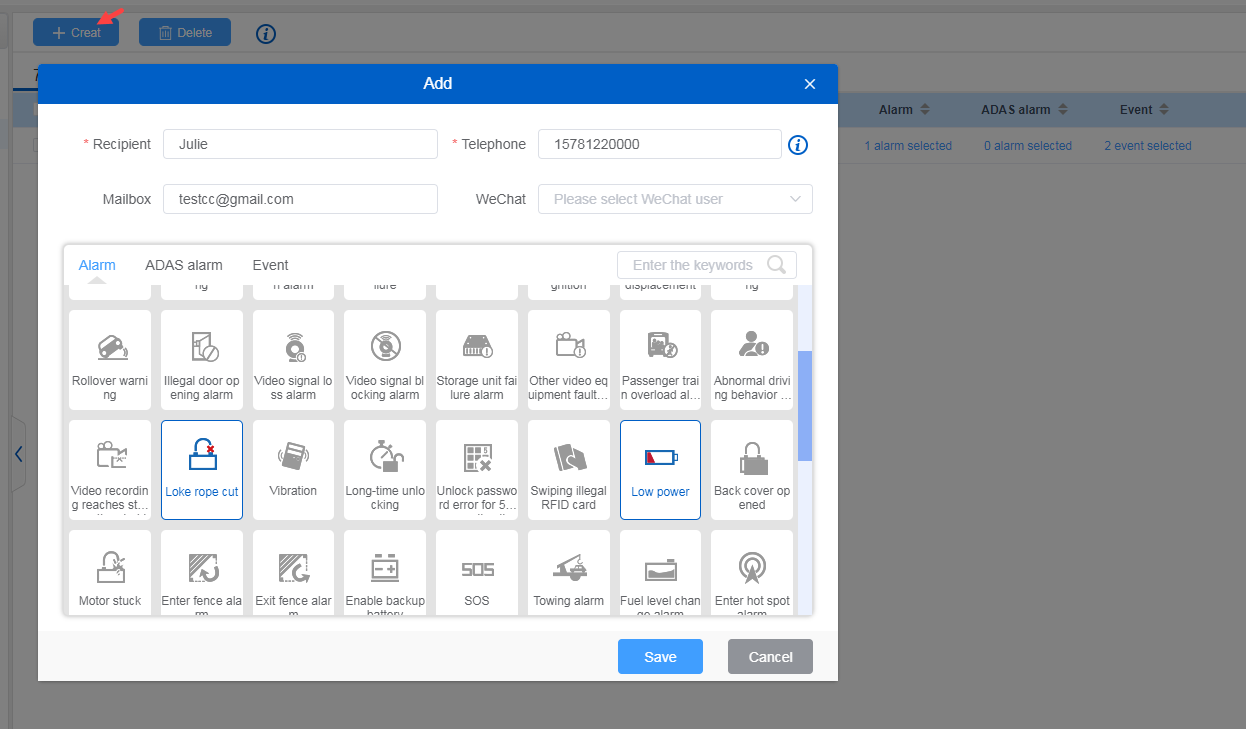
Enter the recipient, recipient’s phone number, and email address, and select WeChat. The WeChat here needs to be bound to the Jointech Cloud official account before it is displayed;
Select the alarms and events that need to be pushed, and click Save to configure successfully;
When an alarm is generated, it will be pushed, such as receiving mobile phone text messages, emails, and WeChat receiving alarm information.
See details:
After the configuration is complete, you can click the details icon in the operation to view which alarm push has been configured;
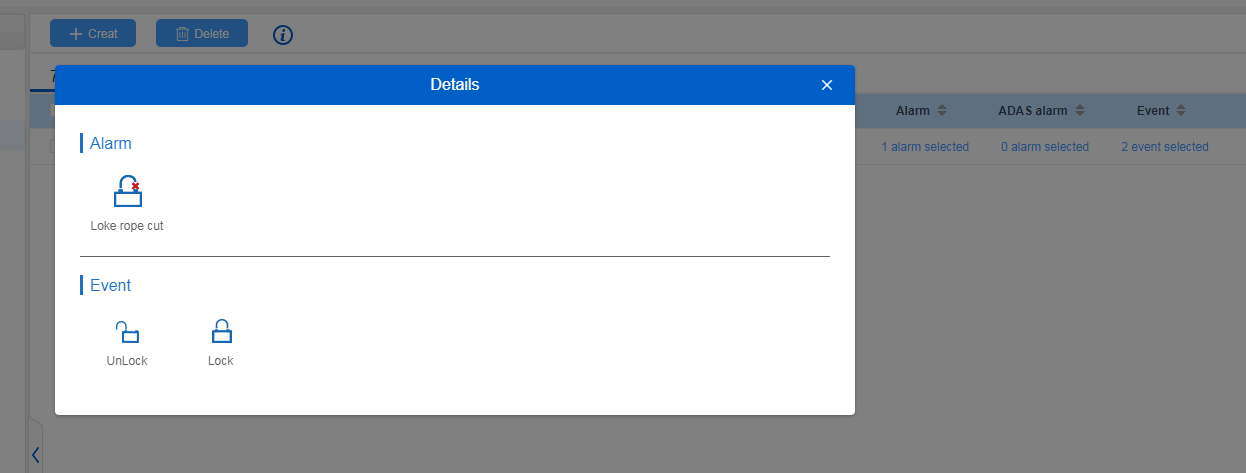
Delete:
You can also delete the configuration, and the alarm generated after the deletion will no longer be pushed.
See Telegram user
You can select a system account that is already linked to your Telegram account.
Follow the documentation instructions to obtain the system login link in the Telegram application: http://icloud.jointcontrols.com:8181/docs/dieko_oeoew_ersf/dieko_oeoew_ersf-1h0u4l3u08pcg
After obtaining the login link, log in using your JiuTong Cloud system account and password. The system will automatically bind your Telegram application account and JiuTong Cloud system account.
In the push service configuration interface, you can select the JiuTong Cloud user account that is already linked to your Telegram account to configure related push settings.